

Supported setup
Run each Room from one Windows or Mac computer, using Google Chrome or Microsoft Edge. The Room Dashboard and Live View can be separate windows on that computer, with Live View on the players’ screen.Sign in the Room Station
The computer can sign in as you, or on its own as a Room Station. A Room Station needs no password typed on it, runs games for one Location, and stays locked until an owner or Manager unlocks it. Games keep running either way. To set one up, see Add Managers and Room Stations.Before guests arrive
- Open All Rooms, choose the Room, and select the Game Master who will run the next group.
- Select Open Live View and place it on the player-facing display. Keep the Room Dashboard on the Game Master’s screen.
- Check the starting time and reported Clue count.
- Select a Puzzle and confirm its answer, description, and Clues are present.
- Open the Audio mixer and test required audio at a safe volume.
- Check any images or videos needed early in the game.
- Select Reset Room if a previous test or game changed the state.
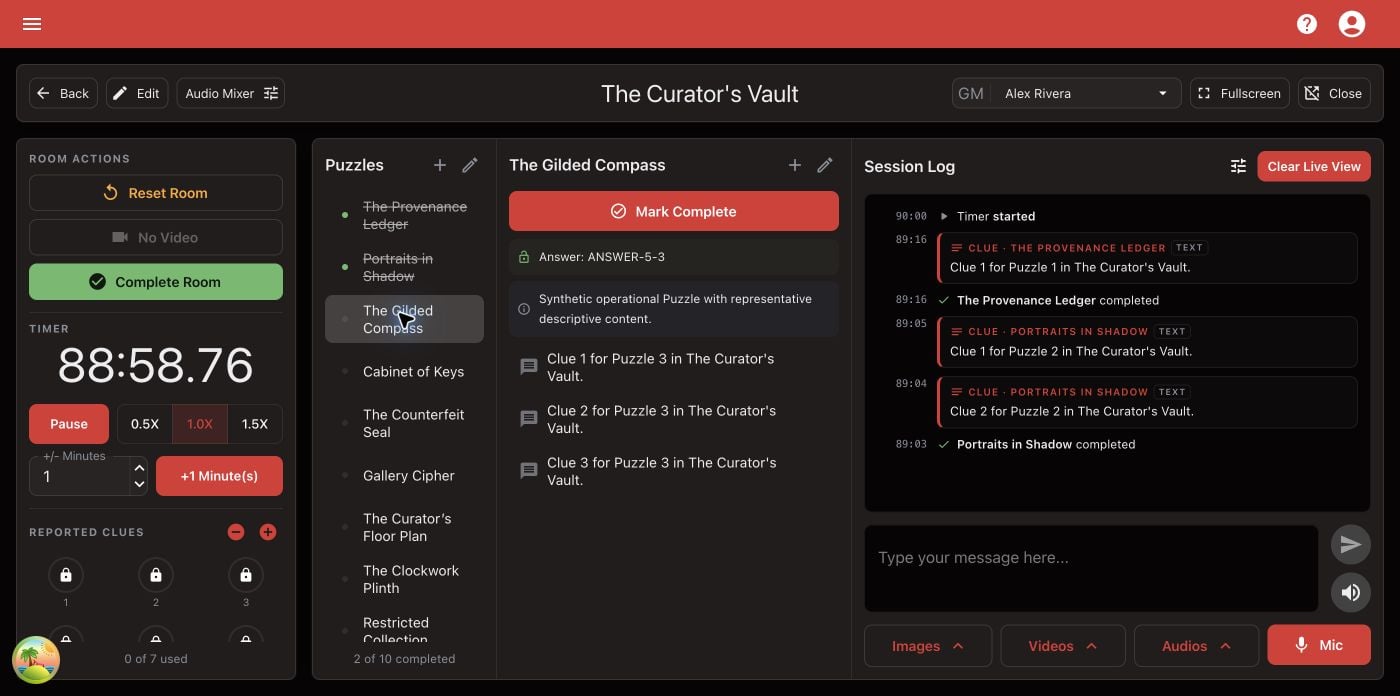
Confirm the complete Game Master workspace before players enter.