

Upload a file
Select Upload, choose an image, audio, or video file, and wait for the upload to finish.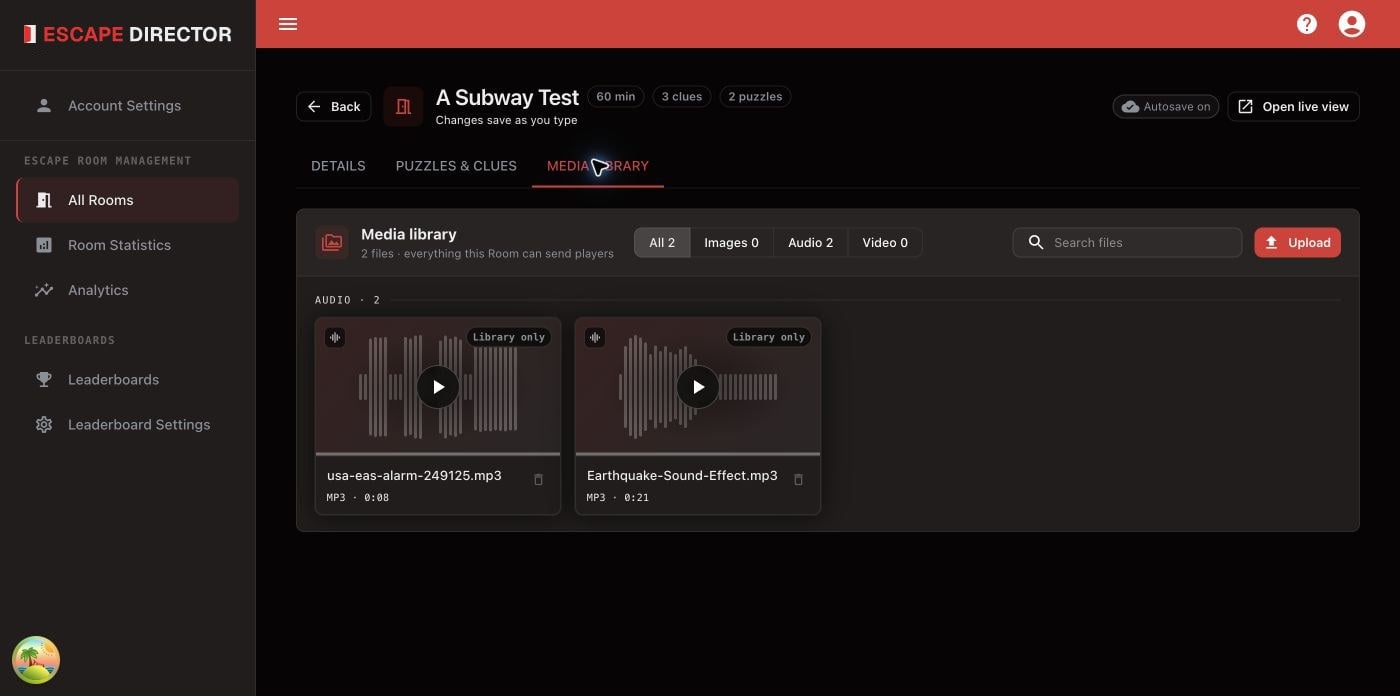
The consolidated Media library keeps every Room file searchable and previews audio and video before live use.
Storage limits
All your Rooms and Leaderboards share 25 GB of media storage. Each file can be up to 5 GB.- See how much you’ve used in Account Settings → Membership → Media storage. It warns you when storage is nearly full.
- If an upload doesn’t fit, Escape Director tells you how much space it needs and how much is free. Delete media you no longer use, then try again.
- Deleting a file or a Room frees the space its media used.
Where media is used
- Live View: choose the alert tone, soundtrack, background image or video, and intro video brief in the Details tab. See Configure Live View.
- Clues: attach a file in the Puzzle editor. See Add Puzzles and Clues.
Delete a file
Review every listed use in the confirmation before deleting.Deleting a file is permanent. Escape Director also removes it from Room screen
settings and deletes any image, audio, or video Clues named in the confirmation.
Past Room Sessions stay the same.